The plan
Pins on the plan
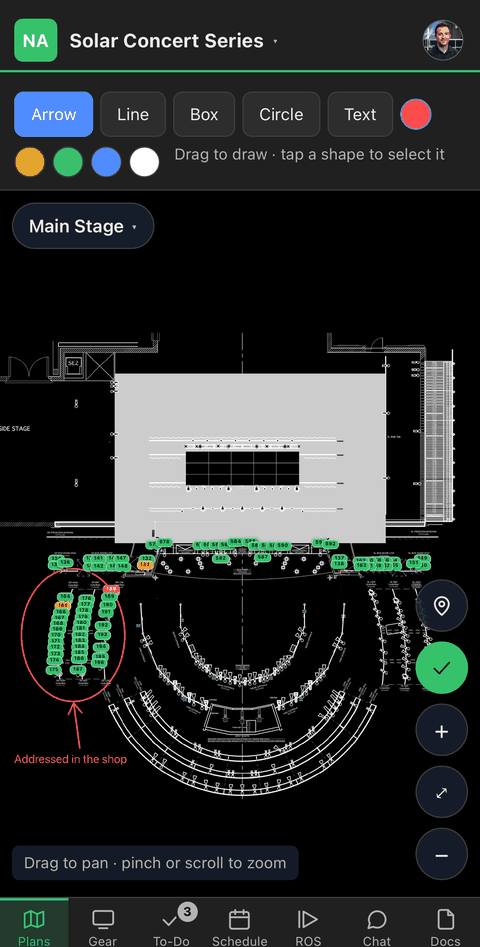
Red means something is missing, which is the producer’s problem. Amber is the crew’s. Green is done. You read the whole show without walking it.
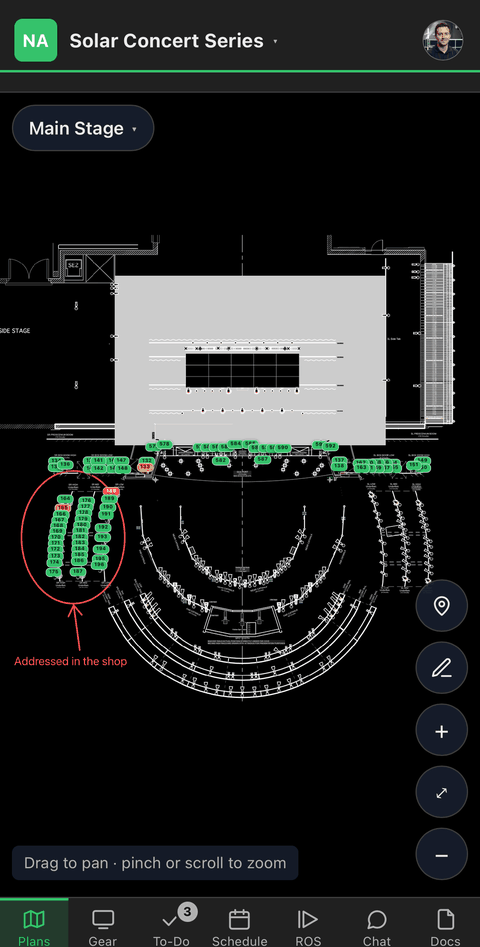

The plan, the gear, the schedule and the run of show are in one place, and every phone on site has the current version.
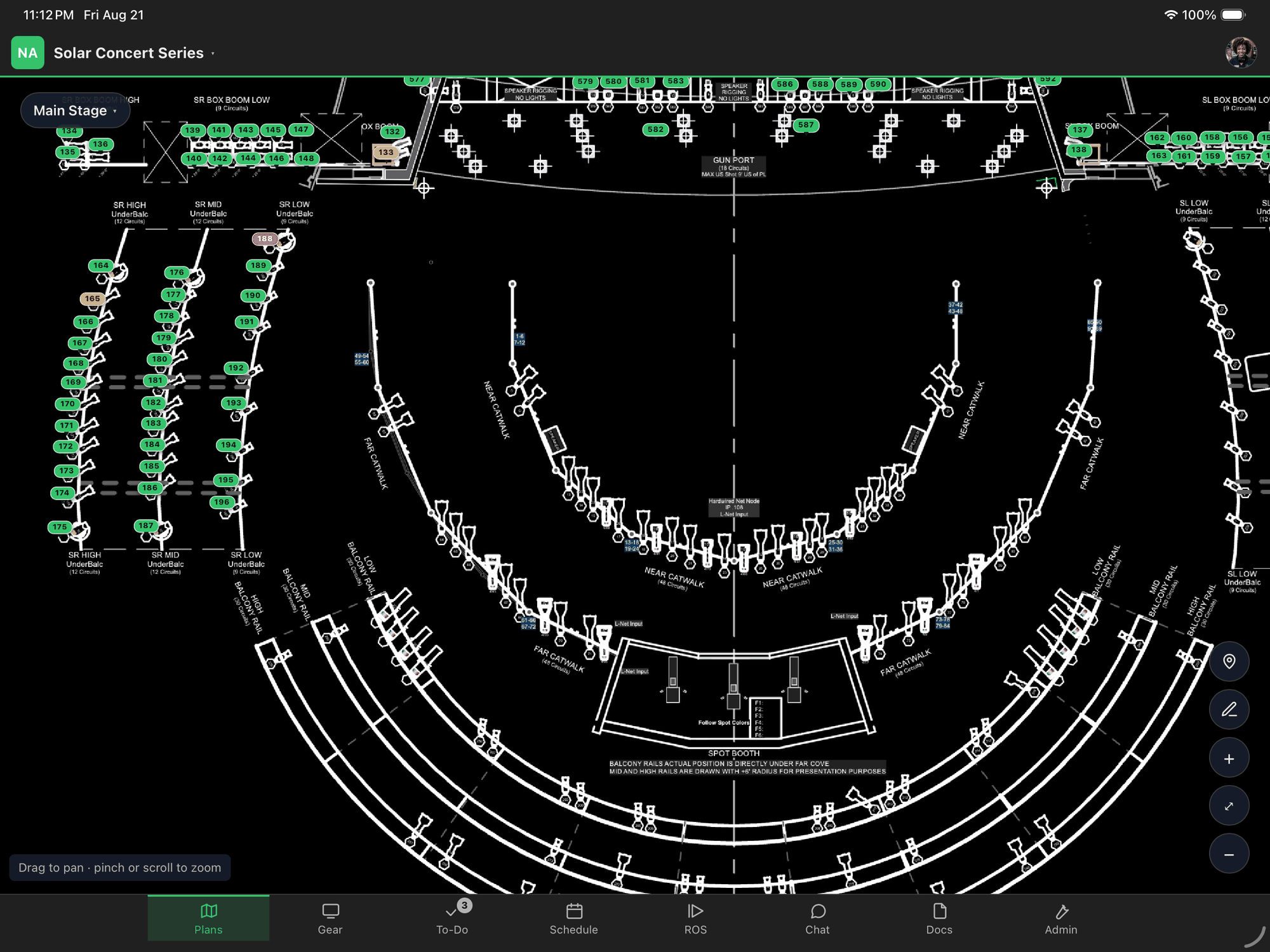
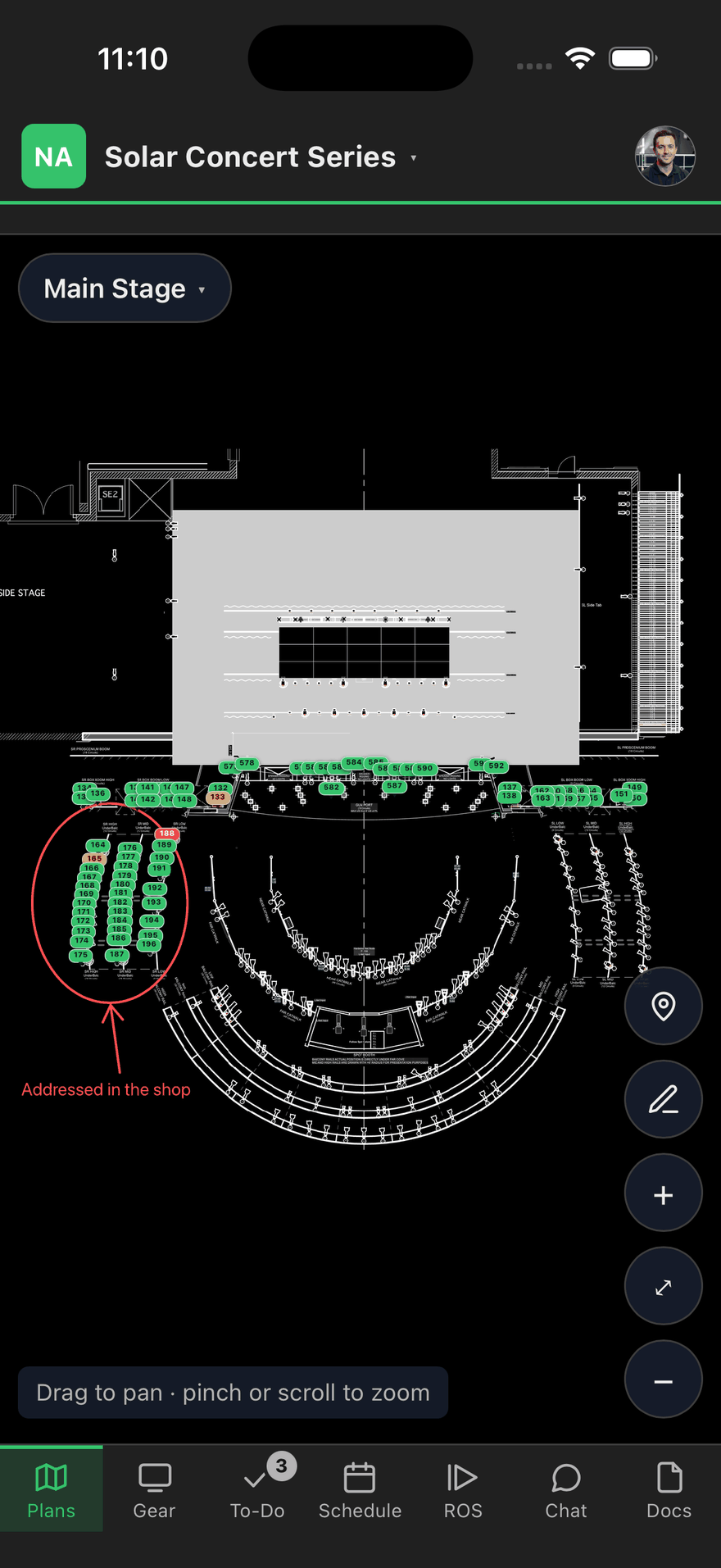
Everyone sees the same picture, and it’s the current one.
The plan
Plans get printed at load-in and hardly ever reprinted. People just mark them up. By show day there can be a dozen versions on site, and no way to tell which one is right.
sholo doesn’t draw floor plans. Your drafter does that in the tool they already use. Drop the PDF in, and every page becomes a sheet the whole crew opens on their own phone. The marks go there instead, so everybody’s marks are on the same copy.
Still want paper? Print the show book. You get the plans, the gear, the schedule and the run of show, and it prints what is true the moment you press it.
On the day
Good information gets the work done. Old information gets it done twice. One piece of gear gets touched by two people, or two techs are an hour into the same task before either one finds out.
The plan
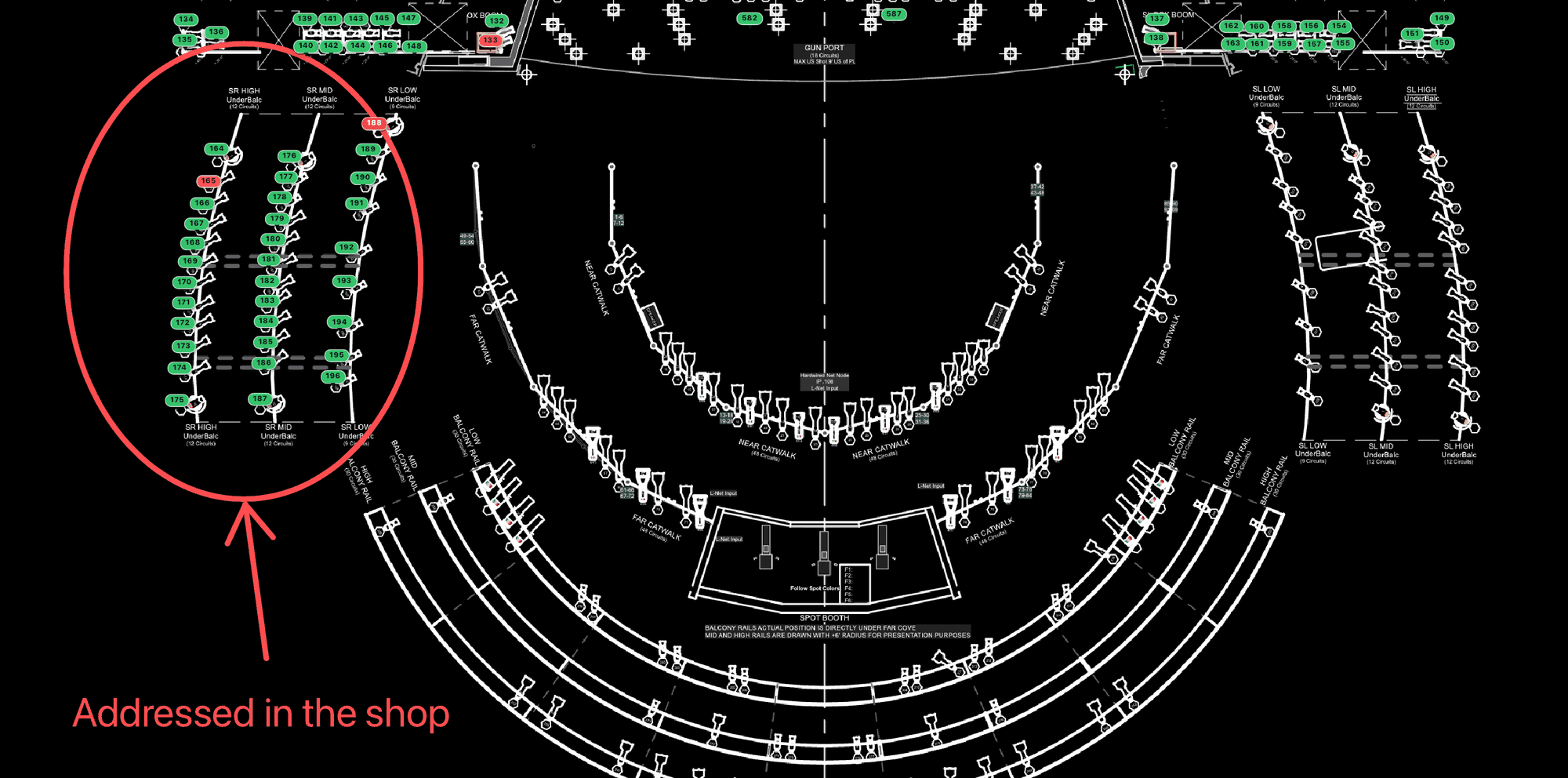
Red means something is missing, which is the producer’s problem. Amber is the crew’s. Green is done. You read the whole show without walking it.
The plan
Arrows, boxes and notes go on the sheet itself, so the marked-up copy isn’t in one person’s hand.
The work
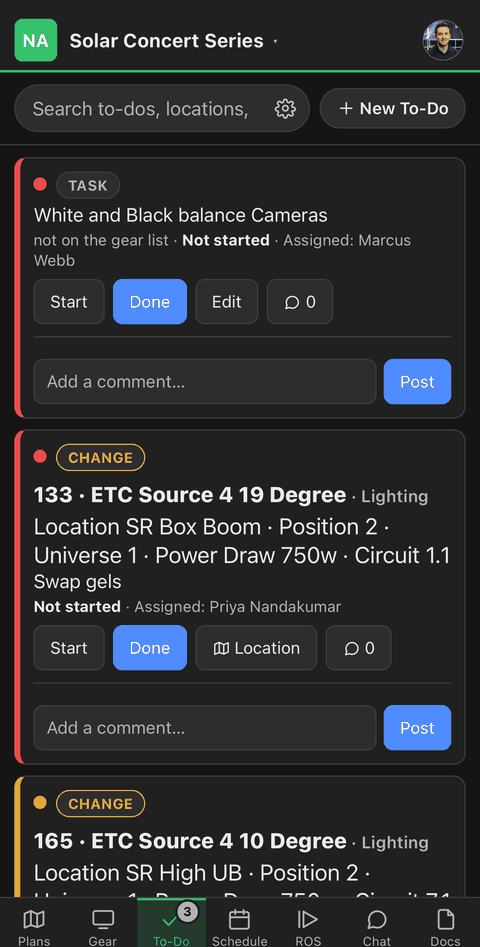
A to-do names the piece of gear it’s about, and shows who picked it up the moment they do.
The work
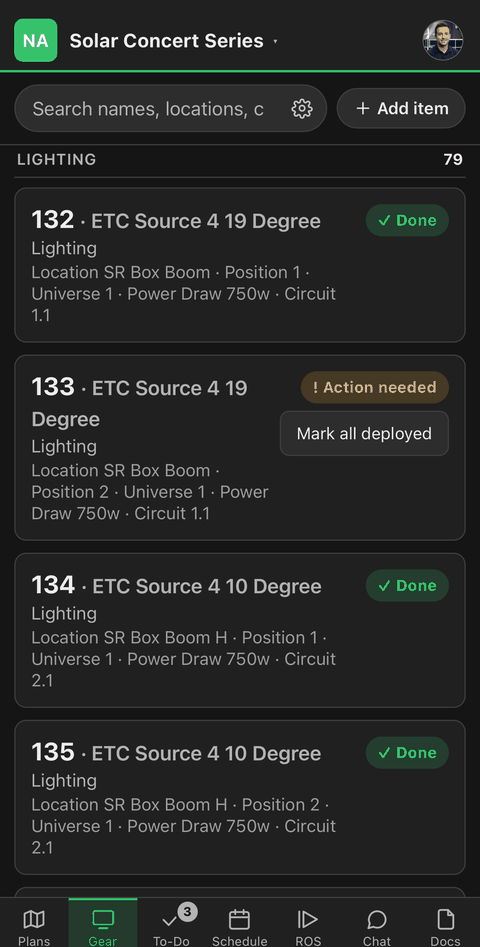
Seventy-eight done, one still waiting. Nobody has to stop work to find that out.
Show day
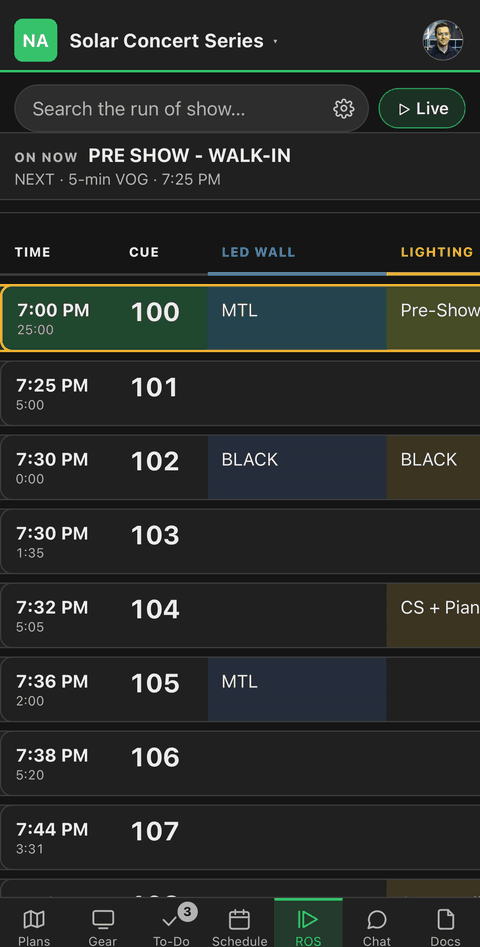
One sheet, one caller, a column per department. Everyone follows on their own screen.
Show day
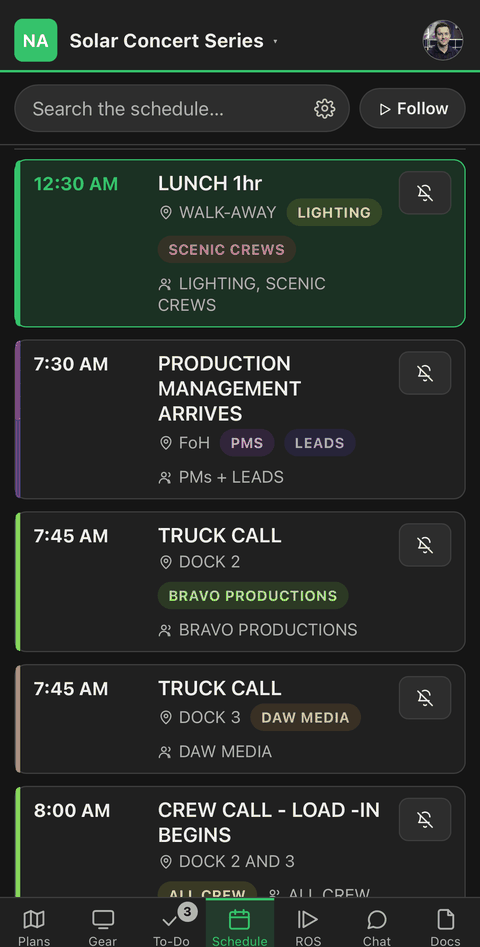
Truck calls, crew calls and meal breaks, with a reminder before the part that’s yours.
The company
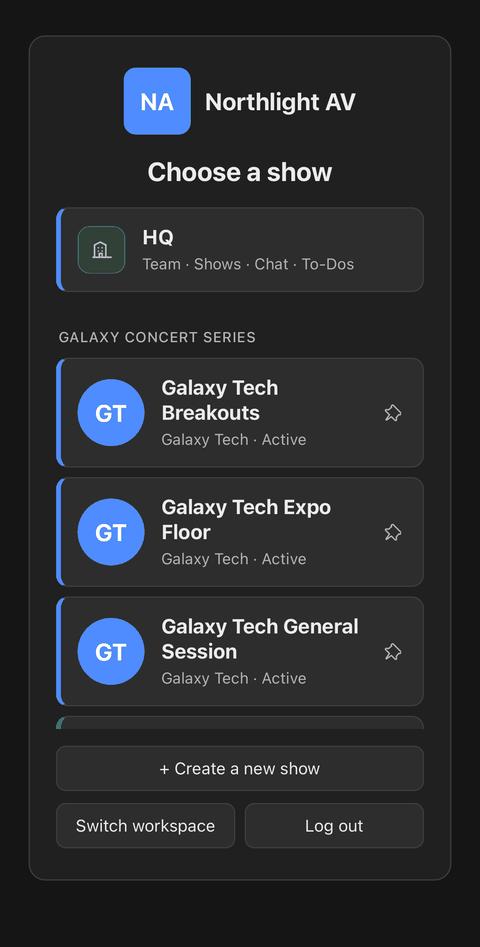
Each show gets its own sheets and its own crew. One message reaches all of them, and HQ sits above them all.
The crew
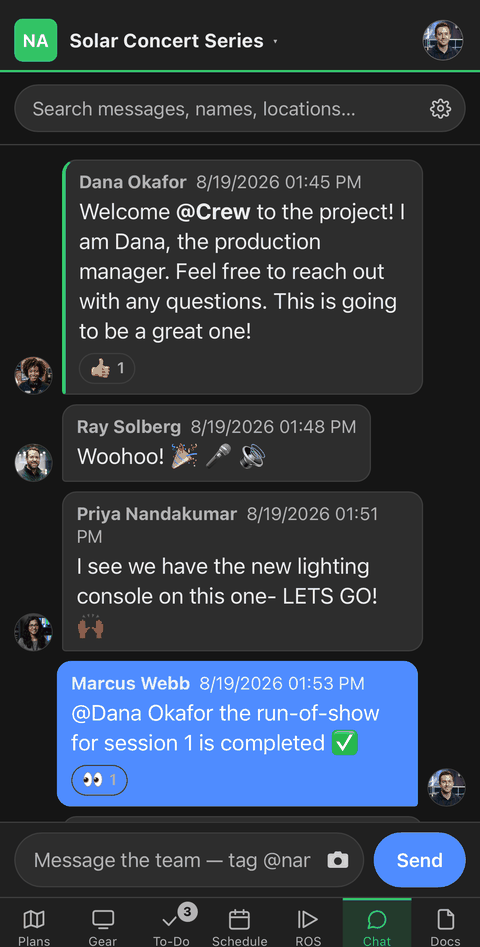
Tag a person or a location. Photos land next to the gear they’re about, and the conversation is still searchable next week.
There’s also an audit log of every change, and the whole thing keeps working in a loading dock with no bars on the phone.
Show day
Cues, times and a column per department. Nobody is reading over a shoulder or working from a printout that went out of date an hour ago.
| Time | Cue | Item | LED Wall | Lighting | Audio | Video | Comms | Stage |
|---|---|---|---|---|---|---|---|---|
| 7:00 PM25:00 | 100 | Pre-show walk-in | MTL loop | Pre-show state | Walk-in playlist | Cameras hot | All channels open | Set check |
| 7:25 PM5:00 | 101Go | Voice of God | House to half | VOG mic — booth | Standby A1 | Clear deck | ||
| 7:30 PM0:00 | 102Go | Blackout | Black | Black | House music down | Cut to black | Standby all | Band on |
| 7:32 PM5:05 | 103Go | Opening number | Show open | Look 1 — warm | Band + keys + bass | Cut on downbeat | Follow spot 1 | |
| 7:36 PM2:00 | 104Go | Host welcome | Lower third | Special — center | Handheld from tray | Center camera | Cue host | Strike stool |
| 7:38 PM5:20 | 105Go | Second number | Content roll | Look 2 — cool | Add cello + vocal | Iso record | Preset props |
Time, cue and item stay put while the departments scroll. The audio operator and the LED tech read the same sheet without reading each other’s columns. Try it: drag the table sideways.
Access
A plan left on a case, dropped in a trash can, or folded into somebody’s back pocket still has your client’s information on it, and there is nothing you can do about it afterward.
You can take access back. When the show ends, when a freelancer finishes, when somebody leaves. And a freelancer only ever sees the one show they are on. Not your client list, not your other shows, not the company chat. Your own staff can see everything you run.
Pricing
Two prices, both on this page. No quotes, no demo call, no per-seat arithmetic.
A lead with a few techs and no staff behind them yet.
$129 /month
or $1,219 a year — save $329
Companies with staff, freelancers and local labor on site.
$299 /month
or $2,739 a year — save $849
Most companies do this with four or five tools at once. A project tool, a chat tool, a run-of-show tool, a file share, and a spreadsheet somebody keeps by hand. This is one bill.
The pricing page has more detail: what counts as a person, what happens if you outgrow a plan mid-show, and what is never charged extra.
Both plans get every show feature and every update, and nothing stops working mid-show if you outgrow one. The Corporate part is Company HQ, the layer that sits above your shows. Seven days free to try it. We take a card up front, and you can cancel any time before it ends.
Pick a plan, put a card in, and the workspace is open before you close the tab. Seven days free. Cancel before it ends and you pay nothing.
Bring the gear list you already keep. sholo reads a spreadsheet, a CSV or a PDF, and shows you the mapping before it imports anything.