sholo · for live production and AV crews
One run of show, not seventeen.
A cue sheet every department reads at the same time, on the phone already in their pocket.
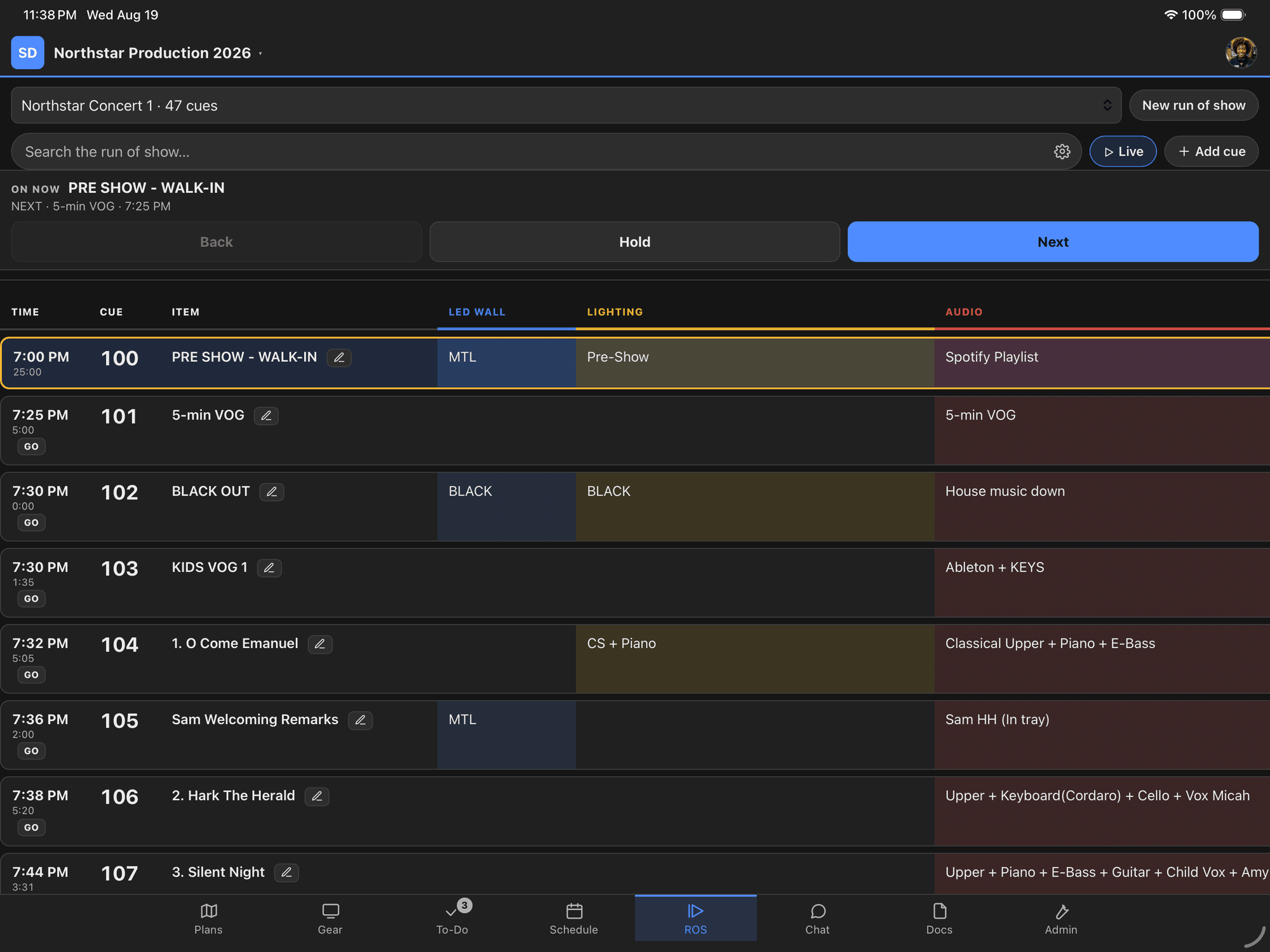
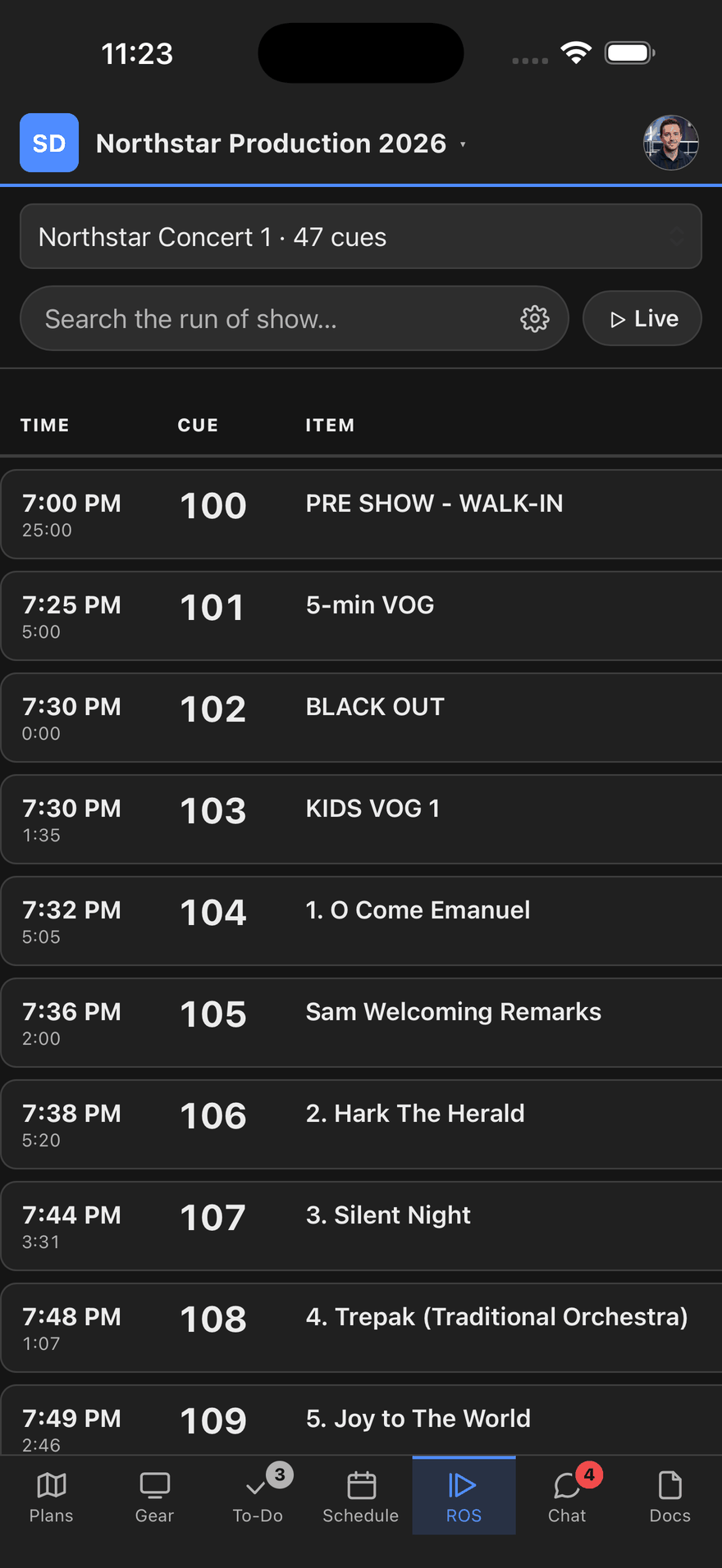
Called from the tablet in production. Read from the phone on site.
The spreadsheet was fine until it was emailed
Most run of shows start life in a spreadsheet, and a spreadsheet is a good place to build one. The trouble starts the moment it leaves. It gets exported, printed, emailed, opened on someone’s laptop and marked up in the truck — and within a day there are five versions on site and no way to tell from looking which one is current.
Then a cue moves. The producer knows. The person who printed at 6am does not, and nothing about their copy looks wrong.
A column per department
Audio, video, lighting, staging, scenic — each gets its own column, and each person reads down their own. The A2 is not scanning past eleven lighting cues to find theirs, and the lighting operator is not working from a version with the audio column cut off to fit the page.
Columns can be hidden per device. A video tech who never needs the scenic column switches it off on their phone, and that choice is theirs — it does not change what anybody else sees. On a 27-inch display in production, every column stays up.
Times that recalculate
Give a cue a duration and the ones after it follow. Move a cue and the day moves with it. Give a cue a hard time — doors, a satellite window, a keynote that starts when it starts — and the sheet re-anchors there rather than drifting a minute later every time something upstream slips.
That is the arithmetic nobody wants to do at 2am with the client standing behind them.
The called cue holds the top of the screen
In live mode, whoever is calling the show advances the cue and every phone on the crew follows. The current cue sits at the top, the next one under it, and the running clock says how long is left.
Scroll away to check something and it waits — then, after thirty seconds with your hands off the screen, it takes you back to the cue that is actually happening. That was written for the moment you look up from your phone to do something and look back down having lost your place.
A dead spot doesn’t take the sheet away
Arenas and convention centers have dead spots exactly where crews stand — the loading dock, a back-of-house corridor, the middle of a venue before the wifi is commissioned. A run of show you have already opened stays readable with no signal, and changes are saved and sent when the signal comes back.
Bring the one you already have
You do not have to retype a season of shows. Import an existing sheet from Excel or CSV, one tab per show if that is how yours is built, and the columns you already use come across with their headings intact. Link it to a published Google Sheet and it can be re-read later, which suits an office that builds in Sheets and a crew that reads in sholo.
Re-importing an updated sheet matches against the day already there and tells you what will change before it changes, rather than deleting the show and building a new one underneath you.
A cue sheet on its own is still a document
What makes it useful is that the same crew is already in the floor plan, the gear list and their own call times. Same show, same people, same access ending when the show does.
The plan
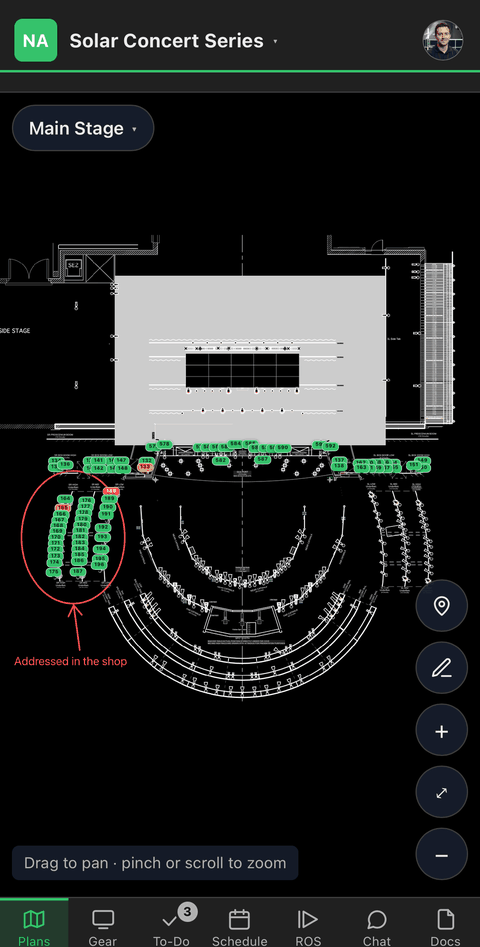
Pins on the plan
Red is a producer’s problem — something is missing. Amber is the crew’s. Green is done. You read the whole show without crossing it.
The gear
The count is the status meeting
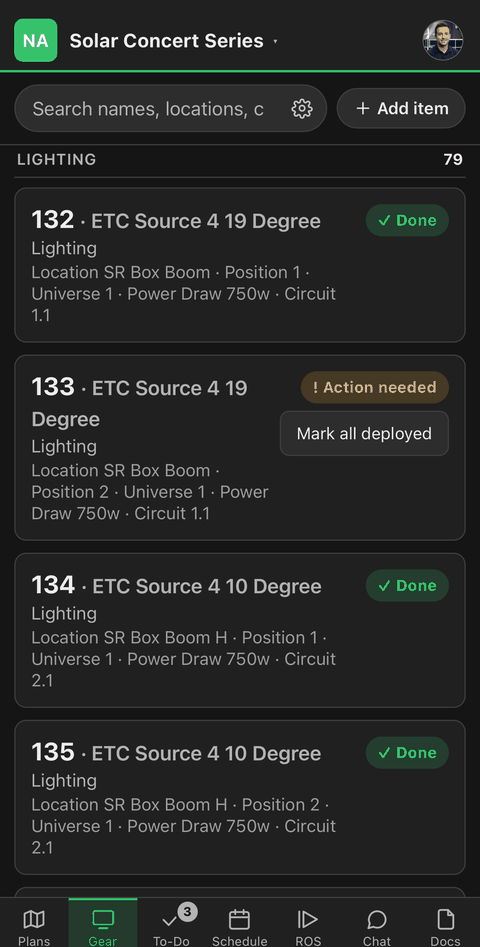
Every screen, player and speaker on the show, with its circuit, its owner and whether it’s up.
The crew
Your calls, not everybody’s
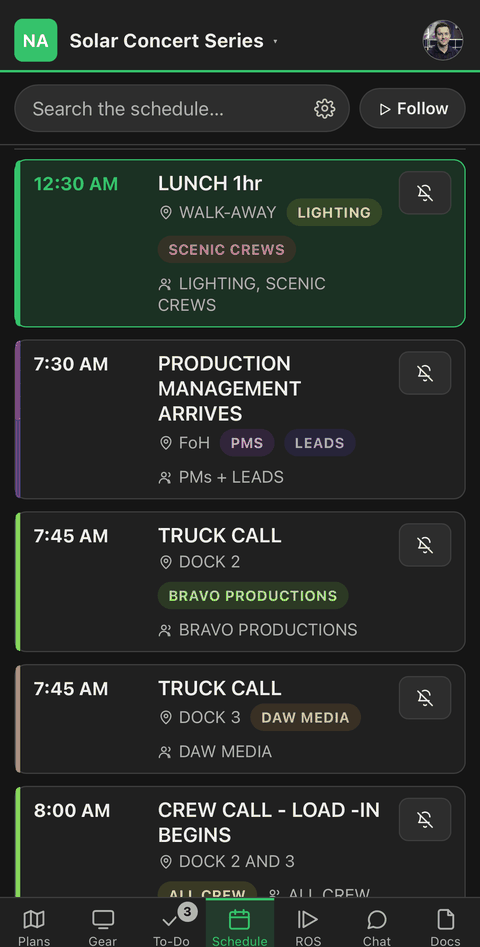
Load-in to load-out, filtered to the person holding the phone.