sholo · for live production and AV crews
Your project tool has never heard of a load-in.
It is very good at what offices do. Nothing in it knows what a show is.
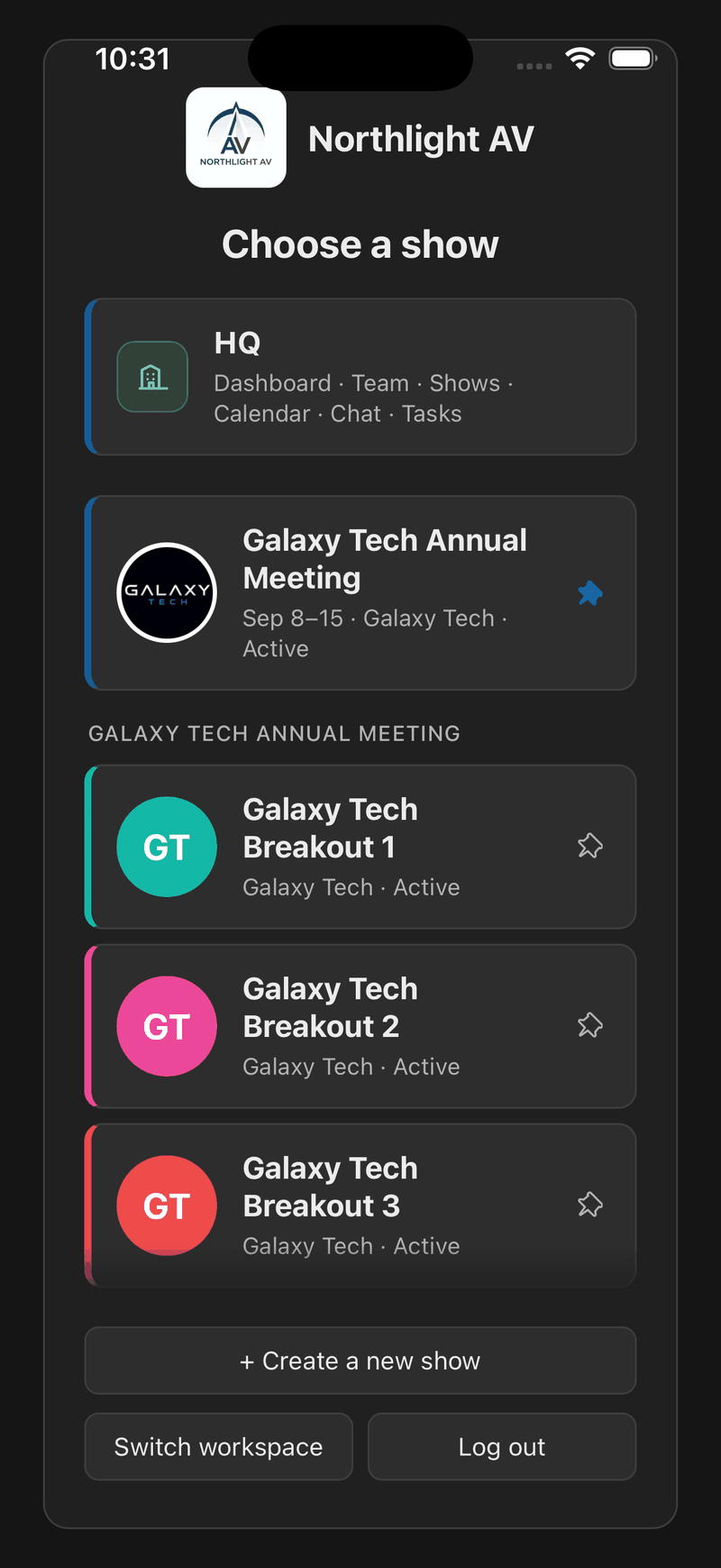
HQ sits above the shows. A freelancer on one show never sees it.
What a general project tool cannot do
Basecamp, Asana, Monday, Trello and Slack are good software. They are built for work that happens at desks, and a production company does plenty of that. But a show is not a desk, and there is a specific list of things none of them has ever been asked to do.
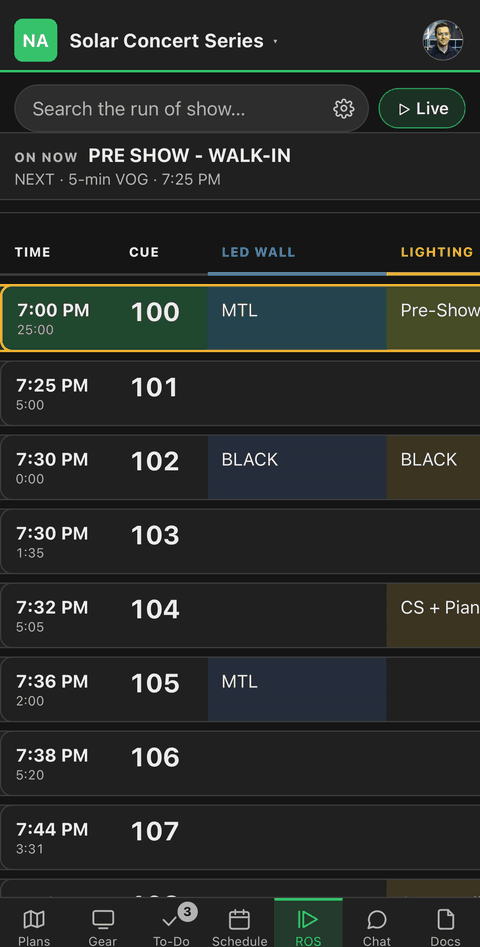
None of them holds a floor plan you can pin gear to. None of them has a cue sheet with a column per department and one person calling it live. None of them can end a local hand’s access to a client’s drawing when the truck leaves. And none of them will read the pull list your rental system produced as a PDF.
That is not a criticism of them. It is a description of work they were not built for.
So don’t switch. Stop stitching.
Most companies in this trade run a show across four or five things at once: a project tool, a group text, a run-of-show tool, a file share, and a spreadsheet somebody keeps by hand. Nobody chose that. It accumulated.
The question is not whether to leave the tool your office runs on. It is whether the show itself should keep being the place where five tools meet and none of them agrees.
One roster, across every show
The company’s people live at the company, not inside whichever show they happen to be on. One directory, one org chart, one place where somebody’s phone number and photo are right — and their position on the chart carries the shows they are working.
Somebody on three shows is one person with one profile, not three rows in three rosters that drift apart the first time a number changes. Add them to the company once and put them on shows from there.
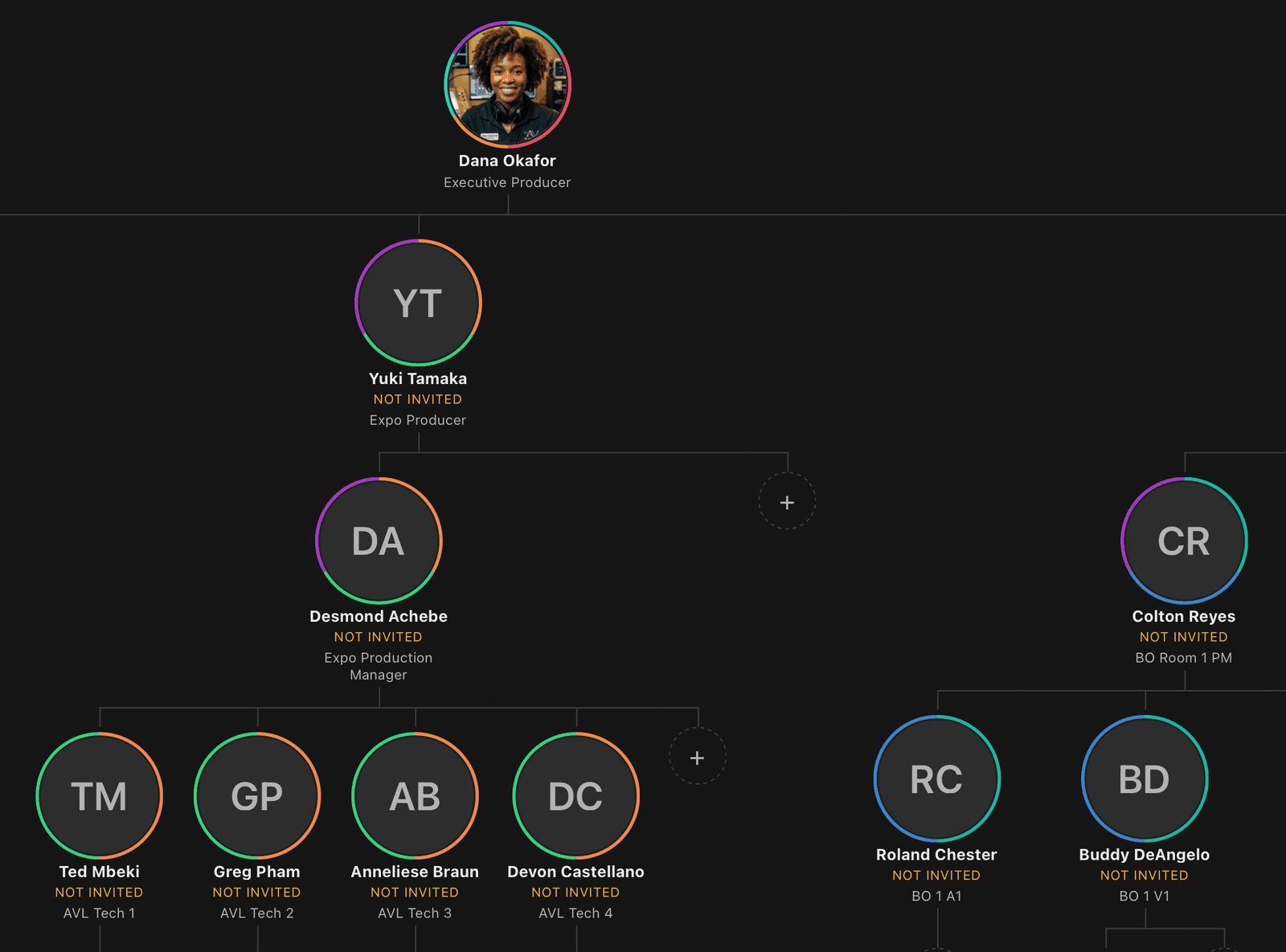
Positions rather than a list of members: the ring is the shows each one works, and the dotted circles are where the next hire goes. This is one corner of a chart that carries the whole show.
Every show the company is running
A list of shows with their dates and who is leading them, and a week that answers the question an owner actually asks on a Monday: what is my company doing, and who is out where.
A booking with several rooms is one project. Each show gets its own plan, its own gear and its own crew, and the company still sees it as a single thing rather than as four unrelated projects.
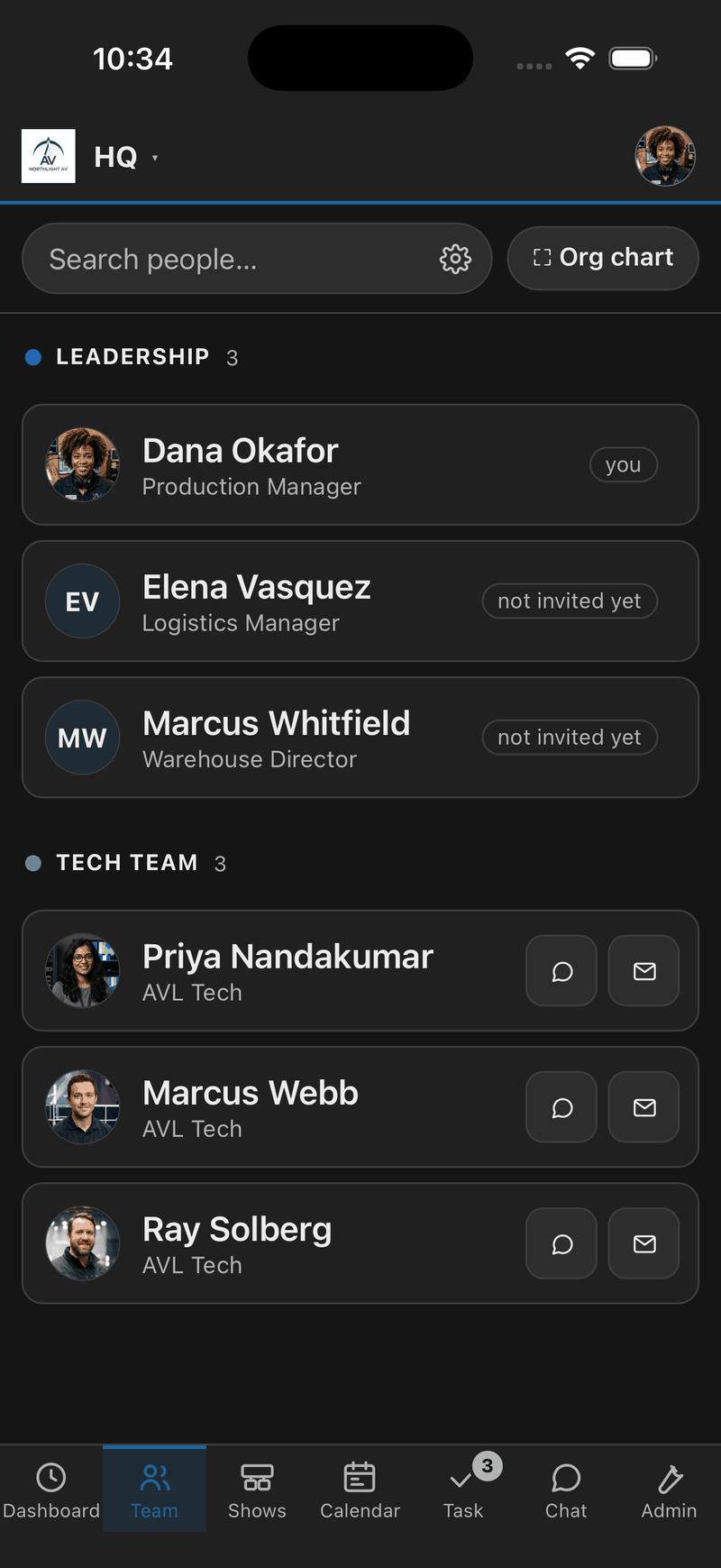
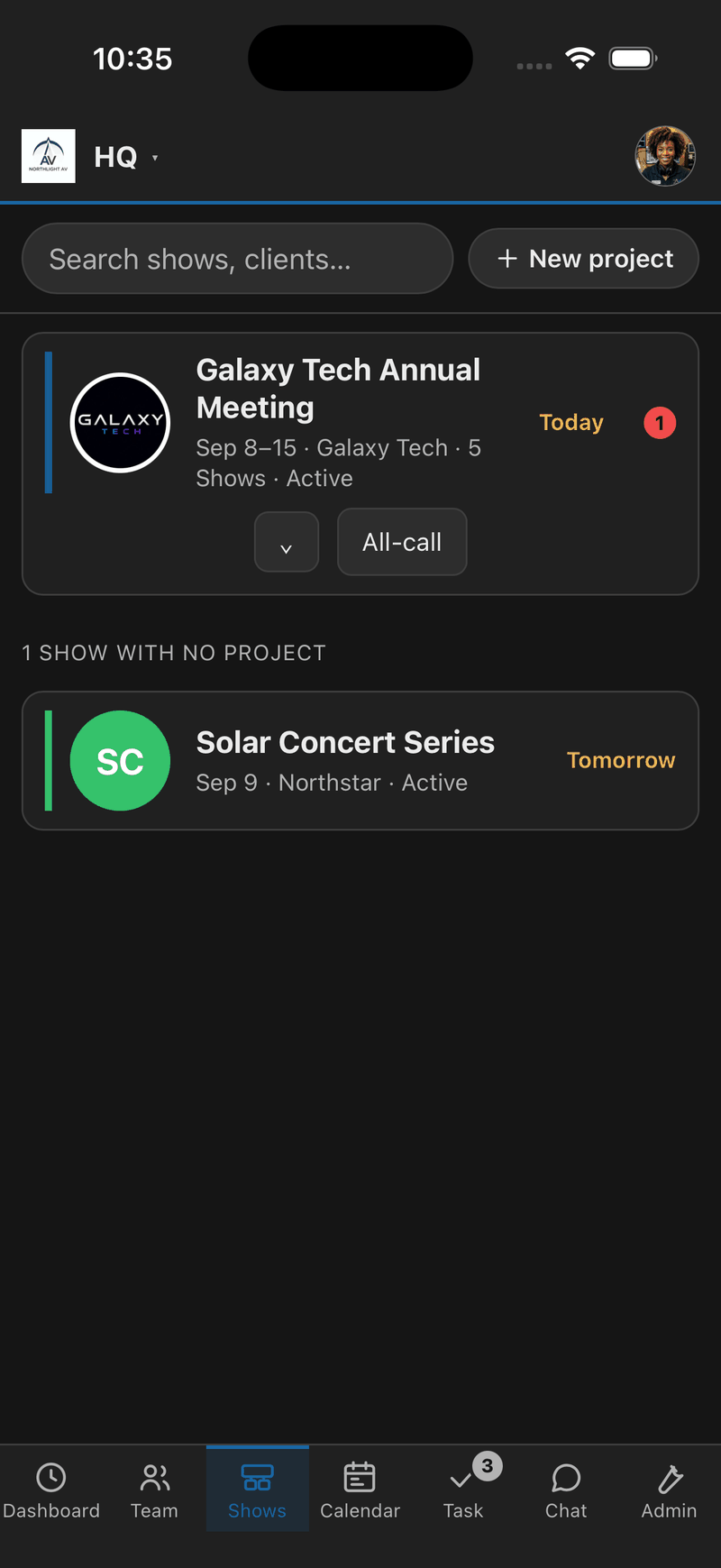
One roster. Every show. Both of them the company’s, not a show’s.
The conversation that isn’t about a show
Company chat and a company to-do list, separate from any show — for the things that are about the business rather than about Tuesday. The warehouse, the invoice, the van, next month.
Same mentions, same photos, same reminders as a show’s. It is the same software; it just belongs to the company instead of to a show.
The part no general tool can copy
A guest in a company chat app can see the company. That is what a guest account is: a person inside your workspace with the sharp edges filed down.
Here, a freelancer brought in for one show is on that show. HQ is not a permission they have been denied — it is not in their app. They never see your client list, your other shows, your rates or your company’s messages, and when the show wraps you end their access to the one thing they did see.
For a business whose crew is half freelance and half local hire, that is not a feature. It is the reason the whole thing can be trusted with a client’s drawing.
Being honest about where this is
The company layer is newer than the show layer, and it is being built out. Crewing — the roster and the org chart — is the piece that is finished and in daily use. The rest works and is getting its second pass.
Said plainly because you will find out in ten minutes anyway, and a tool that oversells the half you haven’t opened yet is a tool you stop believing about the half you have.
The crew
Who is on what
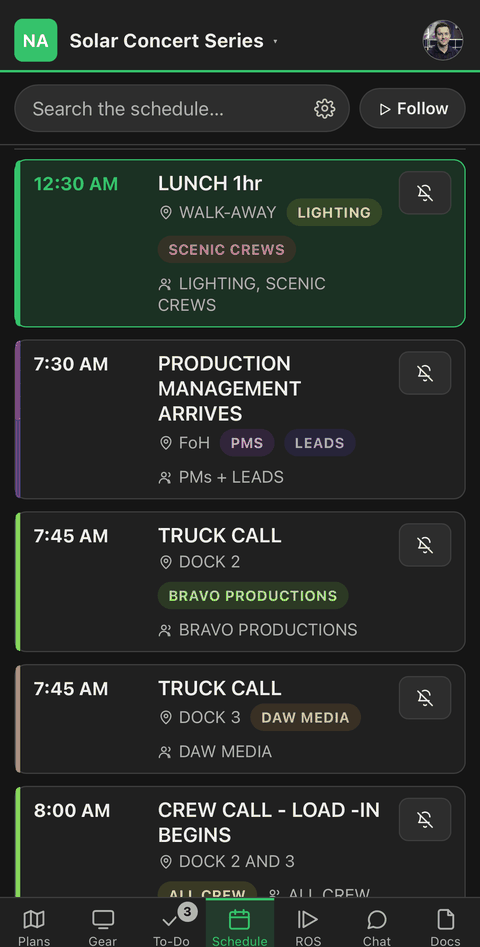
An org chart rather than a list, and one person’s calls filtered out of the whole show’s day.
The plan
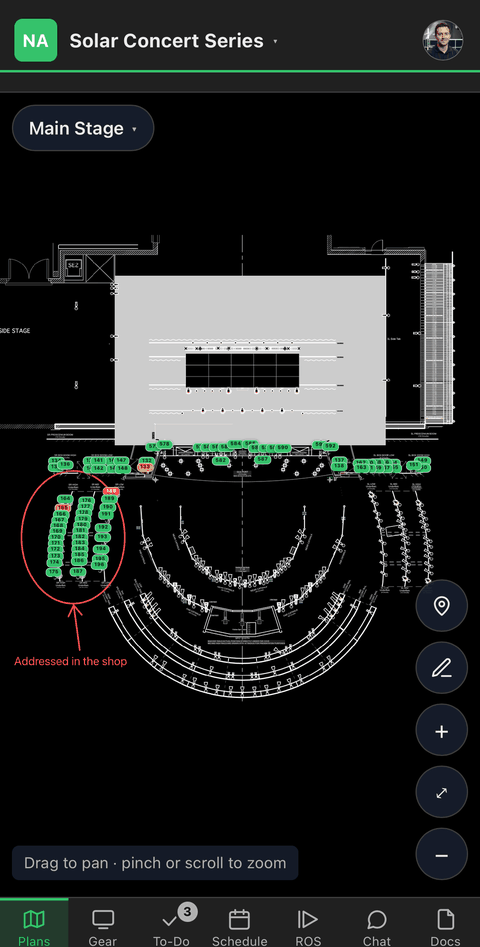
Pins on the plan
Red is a producer’s problem — something is missing. Amber is the crew’s. Green is done.
Getting started
Start with what you already have
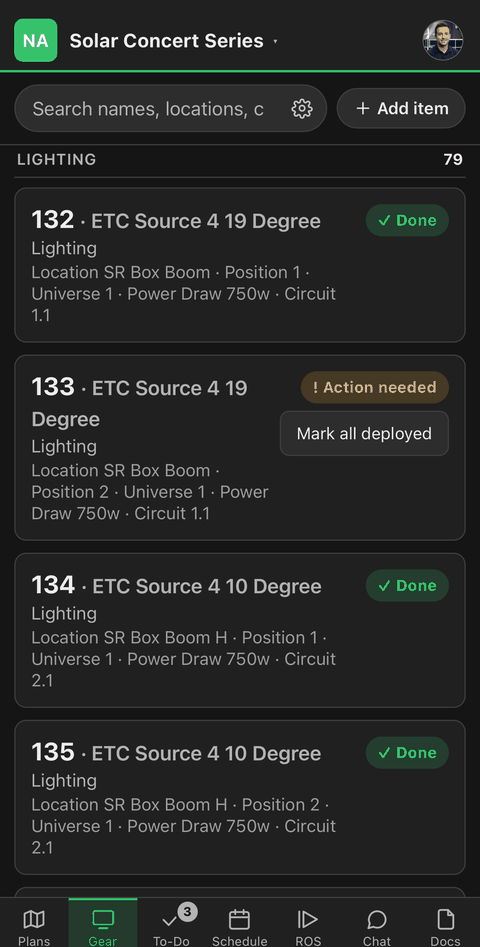
The pull list as the PDF your rental system made. Nothing is retyped.
Show day
One run of show, not seventeen
A column per department, times that recalculate, and the called cue at the top of every screen.