sholo · for live production and AV crews
Start with the documents you already have.
The pull list, the plan and the schedule go in as the files they already are. You do not retype them.
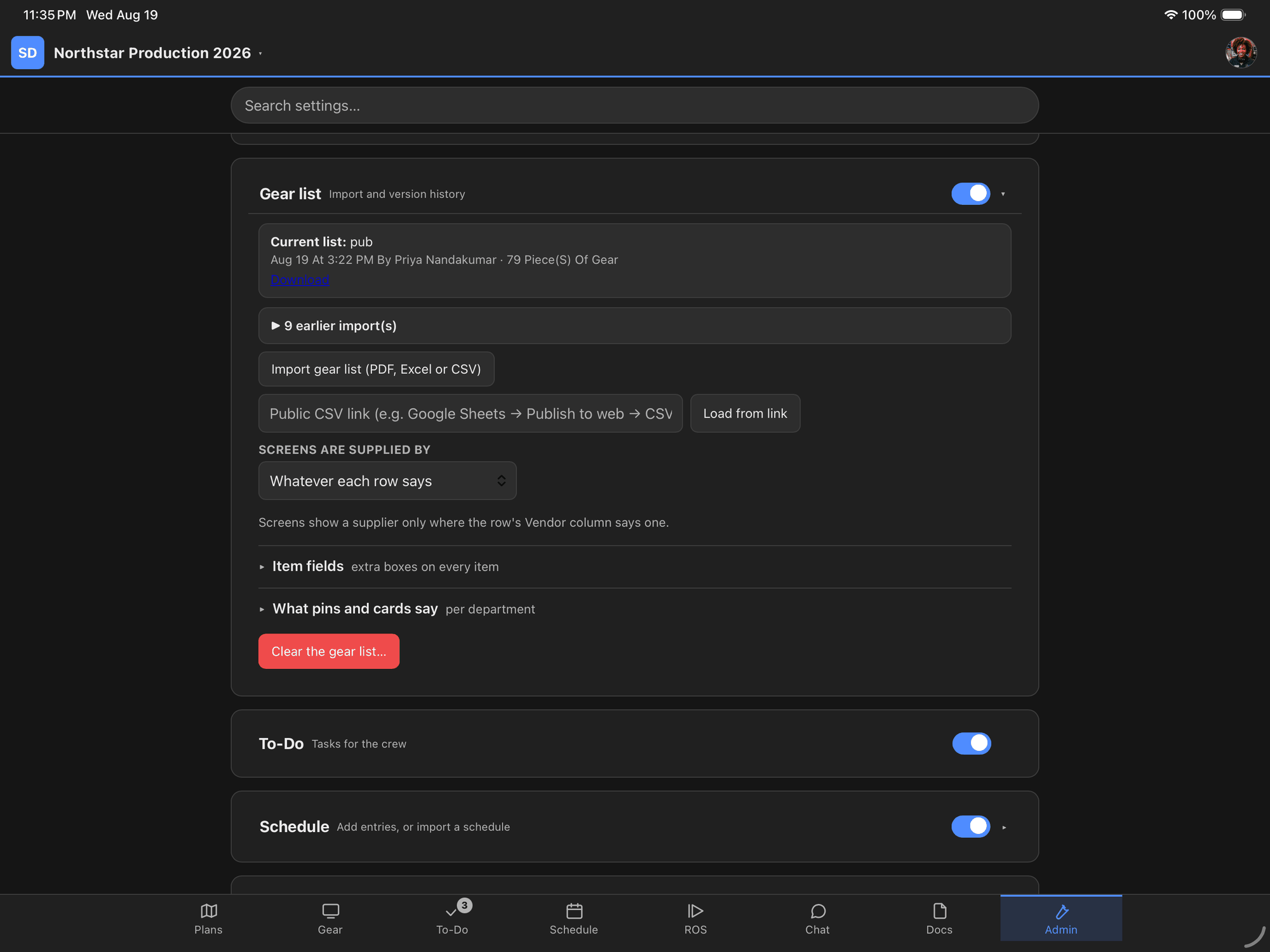
One button, and the file you were already holding.
Nobody is retyping four hundred lines
It is the first thing anybody thinks when they see a tool like this, and it is the right thing to be suspicious about. Most software in this trade asks you to enter your show into it, which means the thing you already wrote gets typed a second time by somebody who is not being paid to type.
So none of it works that way. Every list this app shows you came out of a file you already had, in the shape it was already in.
The pull list, as it came out of the rental system
A pull list arrives as a PDF far more often than as a spreadsheet, because it comes out of a rental system as a contract — quote number, ship date, status confirmed, then a hundred-odd lines of gear. Asking for it as a CSV is asking somebody to do paperwork so the software does not have to.
It reads the PDF. A line sitting to the left of the data is a heading and belongs to every row beneath it; a line indented past the data is a note about the row above it. That is how a person reads it, and it works on your paperwork rather than on a list of department names somebody guessed at.
The plan, as the venue sent it
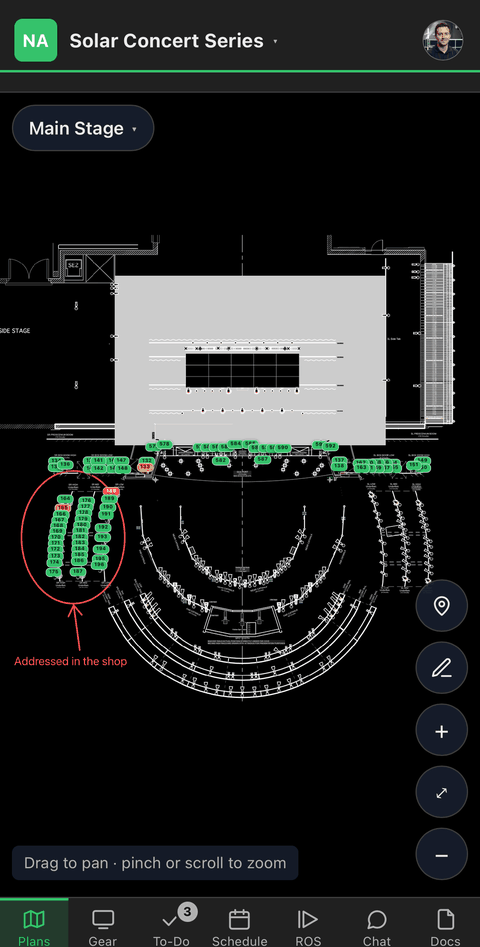
Drop in the CAD export. Each page becomes a sheet the crew opens on their own phone, and where the PDF still carries its text, the location labels on the drawing are matched against your gear list and the pins go on by themselves.
If the drawing was flattened to graphics on its way out — and plenty are — the sheets still work and the app tells you the pins have to go on by hand. It says which you have before you commit to anything, rather than after.
The spreadsheet the show already runs on
Excel, CSV, or a Google Sheet you publish to the web and paste a link to. The columns are read from their headings and from what is actually in them, so a heading the app has never seen still lands in the right place.
A column with no heading is kept rather than dropped. Two columns that mean the same thing both survive. Even the punctuation people put in headings is handled — a column called “QTY:” is a quantity, and reading it as a piece of equipment called “Qty:” is a real bug that a real lighting plot once caused.
Nothing saves until you have looked at it
Every import stops and shows you what it understood before it writes anything: which column it took for what, which rows it is adding, and what it is about to change. Re-import an updated list later and it matches against what is already there and tells you the difference, rather than deleting the show and building a new one underneath you.
Every import is kept, with who did it and when, and the file itself is downloadable afterward. Nothing you put in becomes something you cannot get back out.
You do not have to do all of it first
This is the part that matters on a big show. A project with four hundred crew and nine shows is not set up in an afternoon, and anybody who tells you otherwise has not run one.
But you do not have to finish to start. Upload the plan and nothing else, and the crew already has one current drawing instead of a dozen printouts — that alone is worth the afternoon. The gear list can land next week. The run of show can land the night before. Each piece is useful the day it arrives and none of them waits on the others.
The second show costs less than the first
A to-do list you build once becomes a template you apply to the next show. A run of show linked to a published sheet is re-read on demand, so the office can keep building in Sheets while the crew reads it here. A schedule import adds to what is there rather than replacing it, so the production schedule and the rotation schedule can both live on the same day.
The work you are worried about is mostly work you have already done, in files you already have.
From the venue’s PDF
Pins on the plan
Red is a producer’s problem — something is missing. Amber is the crew’s. Green is done.
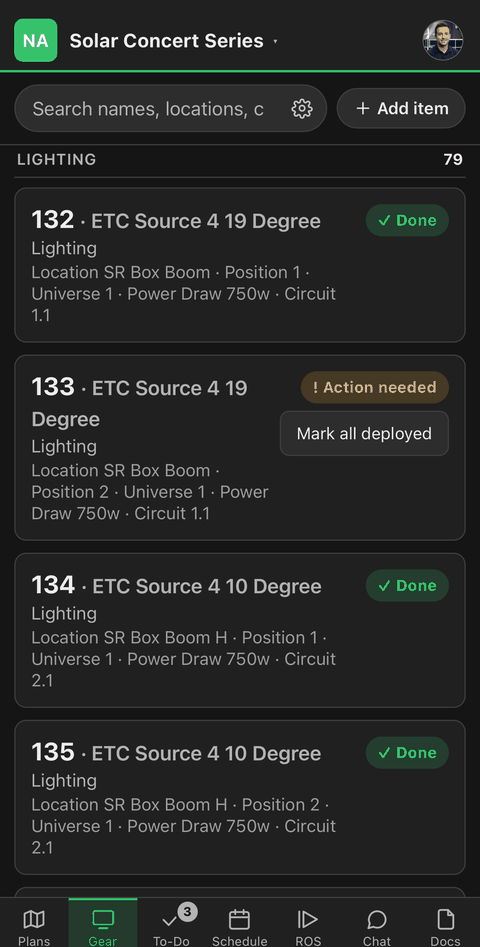
From the pull list
The count is the status meeting
Every screen, player and speaker on the show, with its circuit, its owner and whether it’s up.
From the cue sheet
One run of show, not seventeen
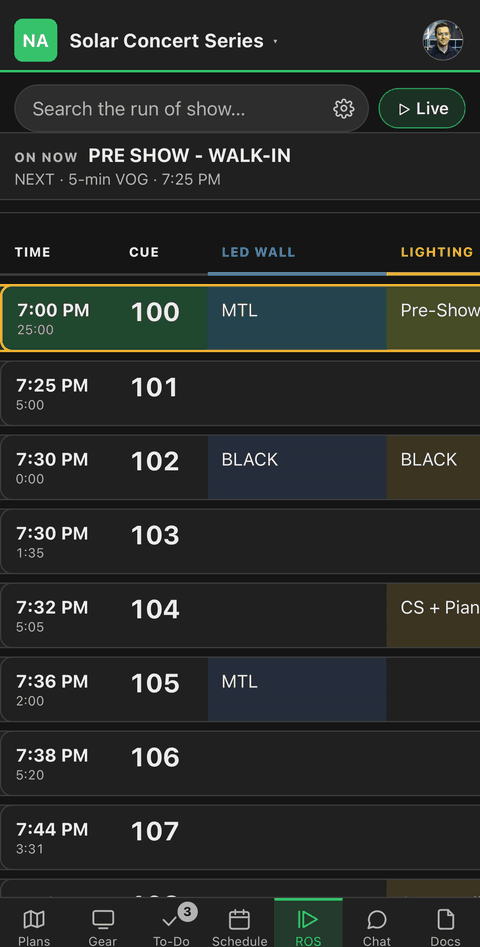
A column per department, times that recalculate, and the called cue at the top of every screen.
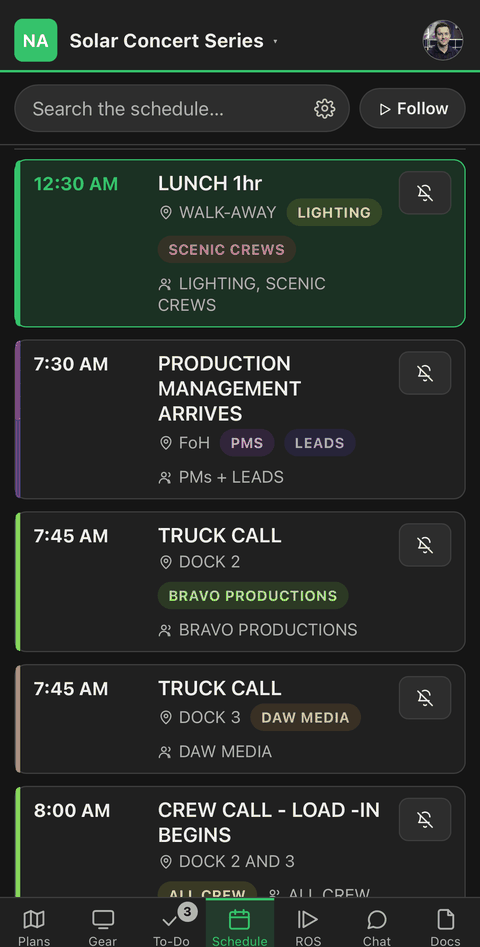
From the production schedule
Your calls, not everybody’s
Load-in to load-out, filtered to the person holding the phone.